
01
The basics
Notes, plans, tasks and documents in one place
A note turns into a plan and its tasks; finished tasks link back to the documents they change. One system instead of two that drift apart.
AI project management for small teams
Weacon turns notes into proposed tasks, and updates the knowledge base the moment the work is done.
How it works
The demo plays once it's on screen.
Team sync
next week:
add search filters to the reports page
fix the export dates being off by one
anna: draft the onboarding doc
open question: keep the old list view?
Reports overview
The reports page lists every report the team has access to, newest first.
Exports run in the background and are emailed when they finish.
The reports page supports search filters on name, owner and date range.
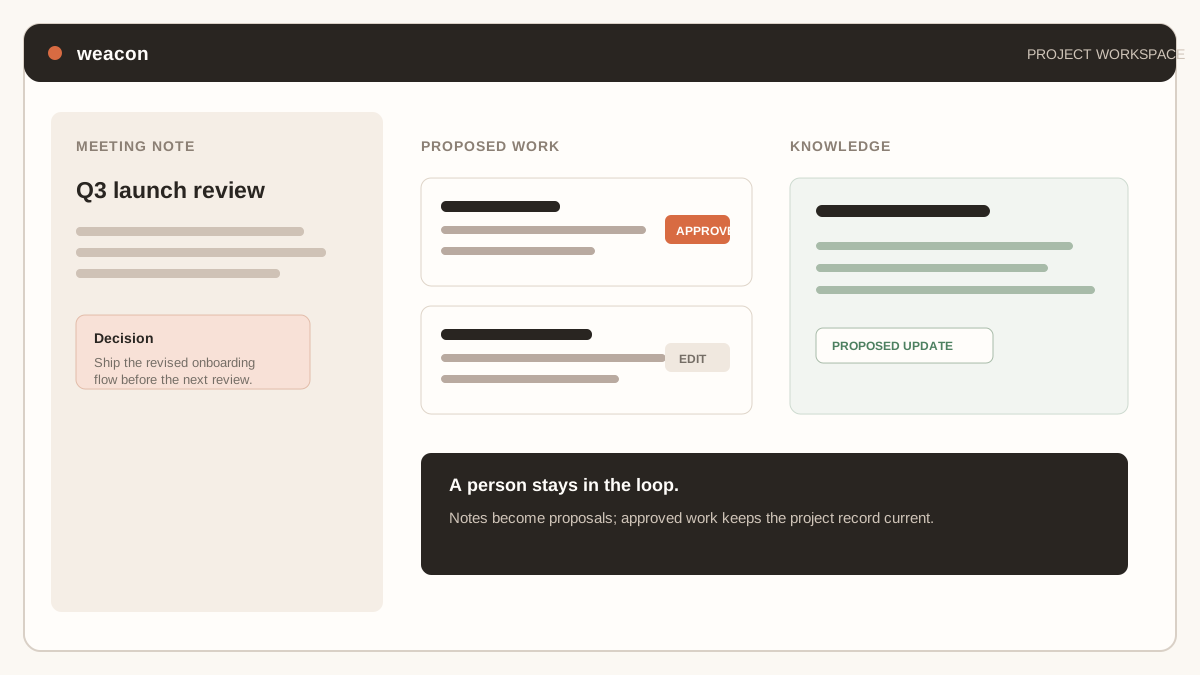
Demo summary: a note becomes proposed plans and tasks; approving a proposal on the plans board turns it into a real task; closing the plan proposes an update to the knowledge document it was linked to; applying that proposal rewrites the document and records a version. Every step waits for a person.
What weacon is
weacon is an AI project management app for small teams. It links notes to the plans and tasks they create, then links finished work back to the knowledge documents it changes. The project record stays current as the team works.
01
The basics
A note turns into a plan and its tasks; finished tasks link back to the documents they change. One system instead of two that drift apart.
02
Where the AI helps
Paste in a call recording or a rough note and weacon finds the tasks, owners and document updates inside it, each one linked back to where it came from.
What stays yours
Every task, plan and document edit shows up as a proposal first. Approve it, edit it or dismiss it — weacon never writes to your workspace on its own.
Who it is for
Choose weacon when meetings create work, work changes the product, and nobody has time to maintain a second system.
Product teams
What got decided on the call is a task in the plan before the meeting is forgotten, not a line in someone's notes app.
Agencies
Calls, plans, tasks and deliverables live in one project, so a status update is assembled from what already exists rather than written from scratch.
Engineering teams
Closing a task proposes the document change it implies, instead of waiting for someone to notice the wiki fell behind.
Small teams without a PM
The record of what happened is a side effect of doing the work, not a role someone has to take on or a task for Friday afternoon.
Following people
Follow a teammate and weacon tells you when they are handed work and when they move it along — assigned, moved to a new stage, finished. Filter the plans board down to the people you picked and their week is one screen, not a meeting.
Private by default
A quieter inbox
Filter by person and stage
Team
Pricing
There are no feature tiers and no separate documentation subscription — the difference between the two plans is only how you would rather be billed. Both include notes, plans, tasks, the knowledge base, reviewable AI proposals and a 50 GiB storage quota. AI features are included subject to fair-use limits.
The trial takes no card, so nothing is charged when it ends. The workspace becomes read-only until someone picks a plan — nothing is deleted and no data goes anywhere.
Then, per workspace:
Before you start
weacon is an AI project management app that combines a knowledge base, plans and tasks, and unstructured notes in one workspace. AI connects the three: notes are read into proposed plans and tasks, and completed plans propose updates to the related knowledge documents.
weacon is a mash-up of weave and connect — it weaves notes, plans and documentation together and keeps the connections current.
No. Every generated plan, task and document edit arrives as a proposal with Approve, Edit and Dismiss. Nothing is written to your workspace until a person accepts it, and every proposal shows the note or task it came from.
The 30-day trial needs no credit card. After it there is one product on two billing shapes — a per-seat monthly price, or a yearly price with unlimited seats — and both include notes, plans, tasks, knowledge and a 50 GiB storage quota. AI features are included subject to fair-use limits. There are no feature tiers and no separate documentation subscription. Current localised prices are listed on the pricing page.
Plans and tasks are linked to knowledge documents. When the work is completed, weacon drafts the update that finished work implies and shows it as a diff in that document for approval, with a reference back to the task that caused it.
Yes. Follow a teammate to be notified when they are assigned work and when they move it along, and filter the plans board down to the people you picked. The board is the status update, so you do not have to ask for one.
For small teams running their own delivery it is meant to. weacon gives up deep workflow configuration in exchange for no setup and documentation that maintains itself, so one subscription covers the work tracking and the knowledge base. The comparison pages set out where each tool wins.
Small teams — product teams, agencies running client work, and engineering groups who want the documentation to survive the project.
Start with one real note
Start with the notes you already have. weacon proposes the plans, tasks and documentation updates they contain; you decide what becomes real.